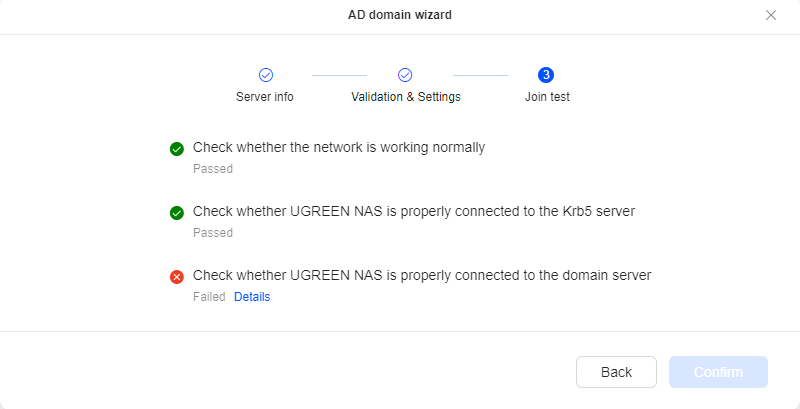
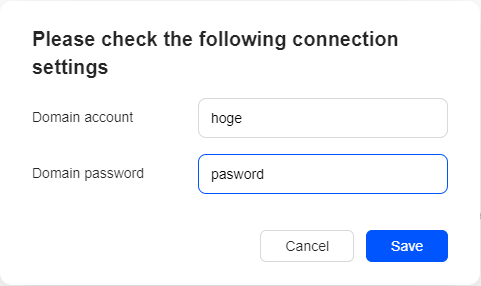
I clicked “Details,” and I entered the “Domain account” and “Domain password” in the format shown in screenshot2.png. (The content is just a placeholder! I’m using the correct credentials.)
Linux domain joins require resolving specific Active Directory SRV records (e.g., _ldap._tcp.dc._msdcs.yourdomain.com). If the NAS uses a router or public DNS (like 8.8.8.8 or 1.1.1.1), it will fail to discover the Domain Controller.
Fix: Go to Control Panel → Network → Network Interface.
Set the Primary DNS Server specifically to the IP address of your Active Directory Domain Controller.
Do not use external DNS servers as the primary DNS.
2. Time Synchronization (Kerberos Constraint)
Kerberos authentication strictly enforces time synchronization. If the clock difference between the UGOS Pro NAS and the AD Domain Controller exceeds 5 minutes, domain joining will fail silently or throw generic credential errors.
Fix: Go to Control Panel → General → Date & Time.
Enable NTP Synchronization and point it to your AD Domain Controller IP address, or ensure both the NAS and Domain Controller sync with the same time server (e.g., pool.ntp.org).
3. Domain & Credential Syntax
In the UGOS Pro Domain Join Wizard:
Domain Name / FQDN: Enter the Fully Qualified Domain Name (e.g., corp.example.com or ad.mydomain.local), not just the NetBIOS name (e.g., CORP).
Domain Account: Use an account with rights to join workstations to the domain (such as a Domain Admin or a delegated user).
Format:
Try pure username: Administrator
Try UPN format: Administrator@corp.example.com
Try Down-Level format: CORP\Administrator
4. Required Network Ports
Ensure no internal firewall or subnet routing blocks traffic between the NAS and the Domain Controller across these required ports:
Service
Port
Protocol
DNS
53
TCP/UDP
Kerberos
88
TCP/UDP
LDAP
389 / 636
TCP/UDP
SMB
445
TCP
NetBIOS / RPC
135, 137-139
TCP/UDP
5. CLI / SSH Advanced Diagnostic (If Wizard Still Fails)
If the GUI wizard continues to error out, SSH into the NAS to test resolution and run a manual test:
Thank you!
I tried all the approaches and found out the killer was the DFL and the FFL. both are 2025.
After extensive testing, I found that my UGREEN NAS joins and fully integrates with fresh Active Directory forests running Windows2016Domain/Windows2016Forest functional levels (Server 2019 and 2022), but consistently fails at the final “domain server” validation step against forests running Windows2025Domain/Windows2025Forest, despite DNS, LDAP, and Kerberos all working correctly.
So, for now I will stay with 2022DCs and DFL&FFL at 2016.
Al-the-Best!
BM