Hi all.
After every mirror sync I do with Windows Scheduler, I get this error message.
“00:31:26 Warning The recycle bin is not available for \MYNAS\personal_folder\Documents”.
Ignore and delete permanently each time recycle bin is unavailable?“
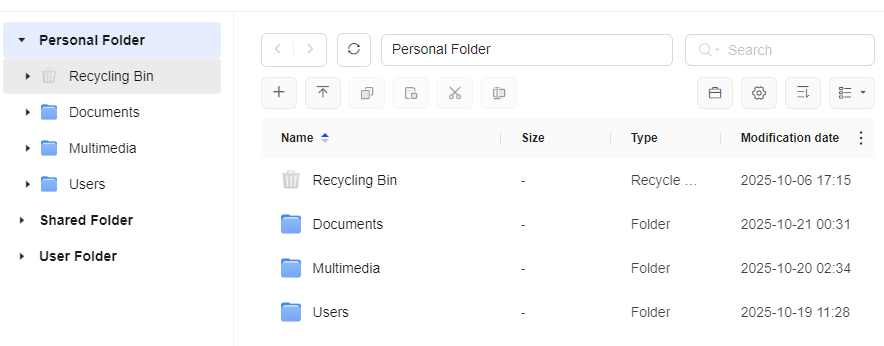
I do have a recycle bin for my personal folder but for some reason it seems my NAS does not recognise it. I really want the recycle bin to fully function.
DXP2800 with 2 x 4TB HDD configured RAID1
Thanks very much.
Hello. When you delete a file in mapped folder from windows, it doesnt go to windows recycle bin. Windows will always warn you that its deleting permanently.
When you delete and look at the Ugreen file manager recyle bin, you will find it there.
Try it, just create a temp folder. Delete it from windows. Now open your Ugreen file manager, browse to the folder and look under recycling bin. it shoudl be there
Thanks for the reply. I have done as you suggested. I created a temp folder in my Documents folder and deleted it. There is still nothing in my Personal Folder’s Recycle bin.
Hi.
I am the only user on my personal computer.I use the “Personal Folder“ on my NAS to backup my files. I have a windows machine and backup my c:\users\myname\documents folder. I do not use the Userfolder\myname to backup my Documents folder to. I see it has a recycle bin. Is this maybe why my deleted files do not show in my “Personal Folder’s“ recycle bin?
Since I am the only user, do I backup my Documents folder to “Personal Folder“ or the userfolder\myname\documents.
When I creeated the Mirror Sync I received a warning that the folders I want to back up do not look right … or something like that?
Cheers.