Here is a Video on how to install Immich on your Ugreen nas , the easy GUI way

And here is how to do it if you prefer reading.
Step 1 : Create the Directories
You have to create the directories first which will host your immich installation. I like to create them under /docker folder, but you can create them anywhere in your file system.
/docker/immich : this will be your root directory
/docker/immich/db : database is stored here
/docker/immich/uploads : uploads go here
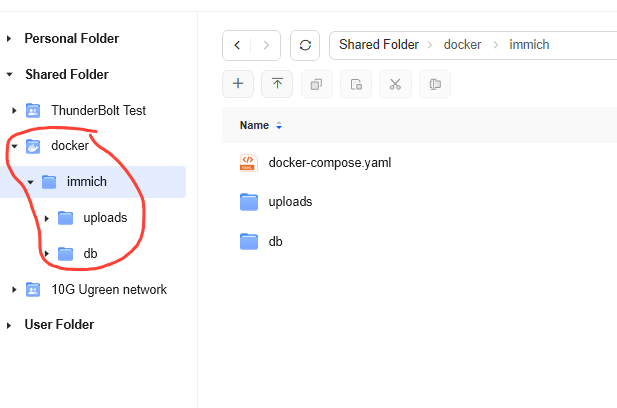
2 directories under immich directory.
Right click on db folder , select properties and copy the absolute path you see there. Same for uploads
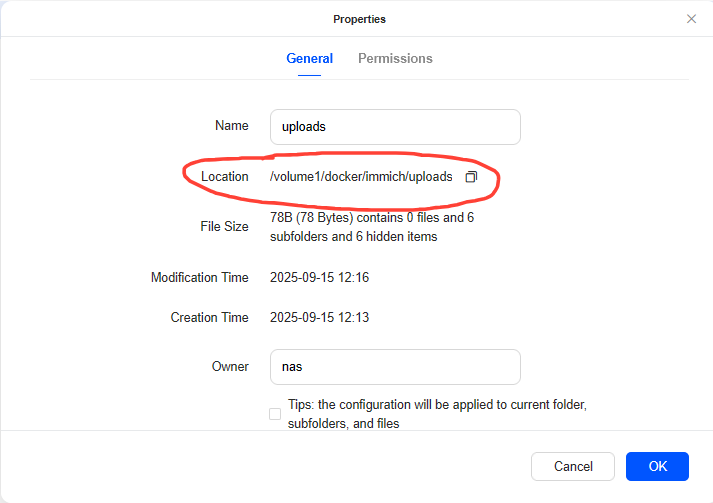
Absolute paths of your folders, you will need them for your .env file
Step 2 : Download the official .yml and .env files
We will use the official docker compose files from immich you can download them here
https://immich.app/docs/install/docker-compose/
You will need 2 files
docker-compose.yml : just download it for import later
example.env : rename to .env, open in notepad to edit the following
DB_DATA_LOCATION= : use here the absolute location of your db folder
UPLOAD_LOCATION= : absolute path of your uploads folder here
DB_PASSWORD= : any secure password
TZ= : your timezone here
Step 3 : Use the docker app GUI to start your application using these 2 files
Upload the .env file to your /docker/immich directory. Now open docker app, click on project> create
Give it a name, specify the location as /docker/immich ( it will take the .env file from there), import the .yml file we downloaded earlier and hit deploy. You can see the progress of your application and once its running, you can access your immich installation at :2283
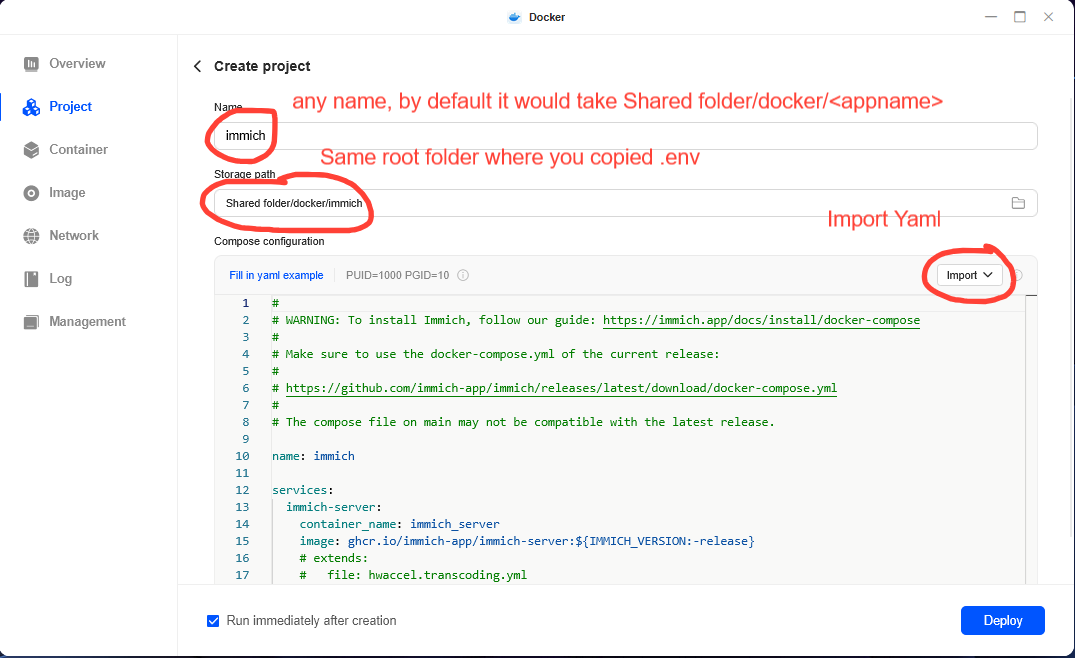
All you needed was .env file copied in root folder, and a yaml file.