I am a complete noobie who got a DXP2800. I want to download and upload files to it while traveling. I can do this through a web browser, but I worry about doing this on public wifi.
Many people have recommended that I install Tailscale, which I did from a video. Tailscale shows the NAS as registered, and I also connected my Android phone and Linux laptop to Tailscale. I can link to the NAS in a Linux terminal (through ssh) and can actually see files and folders, but there are permission errors if I try to copy files to my laptop. Unfortunately, I do not see how Tailscale actually connects me to the NAS and how I can down/upload files with it.
I can access the NAS from my phone through the UGreen app. I have also installed Tailscale on my phone, which shows NAS as registered, but I don’t know if Tailscale actually does anything.
Forgive me, I’m so new at this that it is hard to know what to ask exactly, but what am I missing?
Tailscale is a VPN type service that uses WireGuard as its underlaying VPN technology, but I don’t know enough about Tailscale to provide any specific answers to your question.
As long as you have a secure connection via TLS, you have as a secure connection to your NAS as is possible on the internet today.
I have a public IP address, so I simply use WireGuard on my router to access parts on my network that I don’t want facing the internet. I’ve also set up a reverse proxy using Zoraxy. I wrote up a little guide here if you’re interested, but it requires that you have a DDNS service of some kind. It’s a fairly secure way of accessing your services remotely, as long as those service have their own login function. It limits you to only having to open two ports on your router as well. There are other proxy server options as well, this is just one that I found to be relatively easy to use.
I really appreciate your answer, but I know so little about this that it seems like a new language to me. Can you recommend a simple source for ‘know-nothings’ that I can use to learn more? Many thanks.
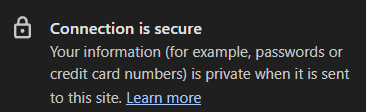
Afraid not, these are things I’ve learnt over the years that I’ve been using computers and having worked in tech. I think you’ll be fine with Tailscale, as long as the service is set up properly, as the connection should be encrypted, you should see the little padlock in the address bar of the browser when the connection is secure.